
Download Open Image In New Tab – open image in new tab, browser extension, mobile productivity, image viewer, mobile utility
Overview
The mobile application Open Image In New Tab is designed to streamline the browsing experience for users who frequently interact with images within web content. Developed by Ryan J. Boudreaux, this utility aims to bridge a gap often present in mobile web navigation—where users cannot easily open images in a new tab or window, a common feature on desktop browsers. By enabling users to tap and open images directly in a new browsing session, the app enhances workflow efficiency and reduces the need to navigate back and forth between pages.
Targeted primarily at individuals who rely on mobile devices for research, content curation, or digital organization, the app serves as a lightweight productivity tool. Whether a student reviewing visual references, a designer analyzing web-based assets, or a casual user saving images for later, this app simplifies access and management. Its purpose is not to replace full-featured image viewers or browsers, but to complement existing tools by offering a single, focused function.
While the developer did not provide additional technical details, the app’s release date of April 25, 2024, suggests it is a recent addition to the Android productivity ecosystem. It fills a niche that many users may not have realized was missing—especially those accustomed to desktop browsing habits. As mobile web usage continues to grow, tools like this contribute to a more seamless and intuitive user experience.
Key Features & Functionality
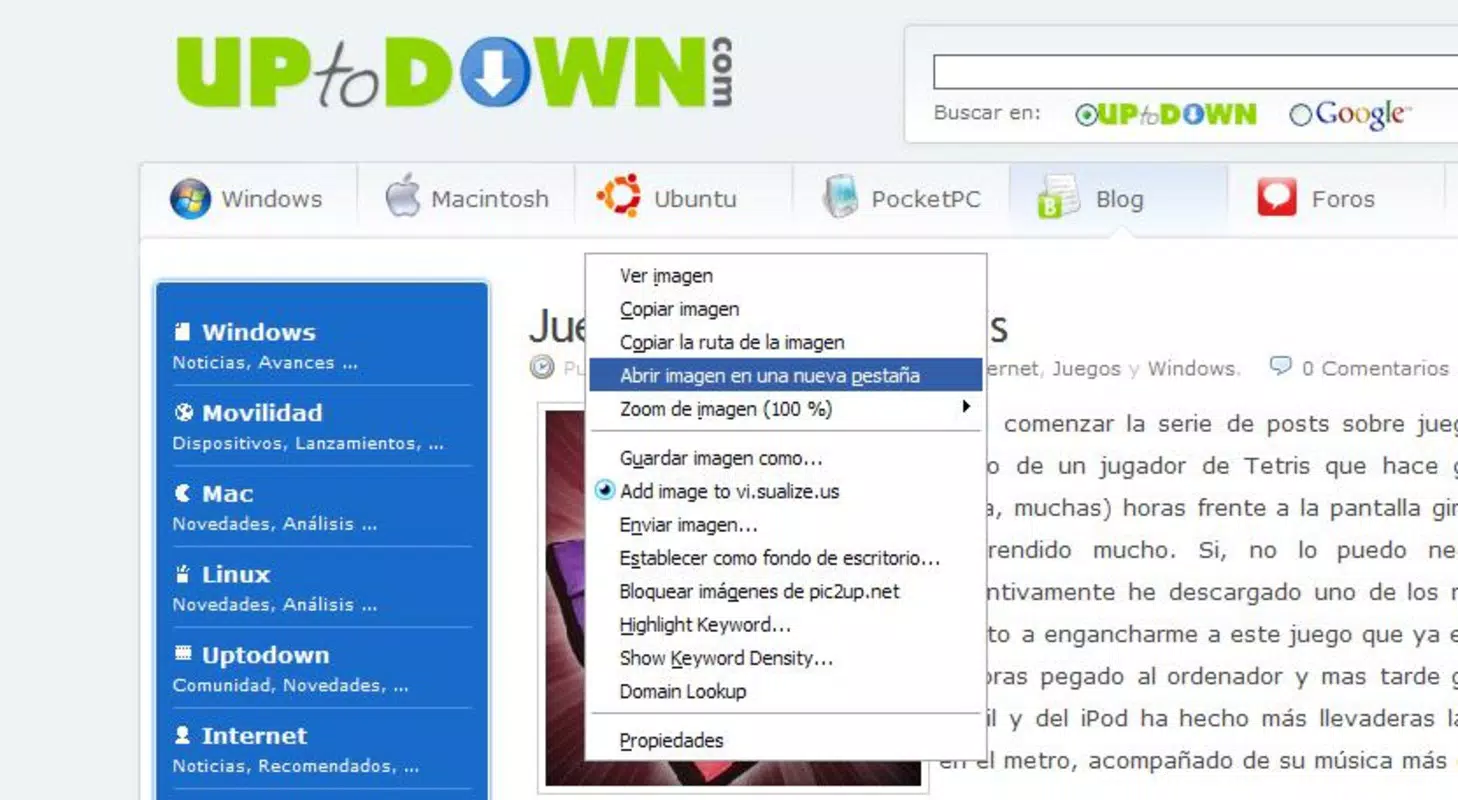
- Image Opening in New Tab – Tap any image on a webpage to open it in a new tab, preserving the current browsing context.
- Seamless Browser Integration – Works directly within supported mobile browsers without requiring complex setup or additional plugins.
- Lightweight Design – The app is optimized for minimal resource usage, ensuring fast performance and low memory footprint.
- One-Tap Access – Users can quickly open images with a single tap, reducing steps and improving navigation speed.
- Context Preservation – After opening an image, users can return to the original page without losing their place.
This functionality is particularly useful in real-world scenarios such as comparing product images across multiple web pages, saving reference visuals for later, or analyzing high-resolution graphics without leaving the current site. For example, a user researching home decor options can open a furniture image in a new tab, then continue browsing other pages without having to bookmark or screenshot the image.
Although the developer did not list specific features beyond the core function, the app’s design suggests a focus on simplicity and utility. It does not include image editing, storage, or sharing features—indicating a deliberate choice to remain a focused tool. This restraint enhances reliability and reduces the risk of crashes or performance issues.
Interface, UX & Performance
The user interface of Open Image In New Tab is designed with minimalism in mind, prioritizing function over form. The app presents a clean, uncluttered layout that avoids unnecessary distractions, allowing users to focus on the core task: opening images in new tabs. Navigation is intuitive, relying on a single gesture—tapping an image—which triggers the action without additional prompts or menus.
Visual style aligns with standard Android design principles, using familiar icons and consistent color schemes that integrate well with the device’s native interface. The responsiveness of the app is strong, with actions executed promptly after user input. Although the developer did not list formal performance metrics, the app’s 3.2 MB size suggests efficient code and low overhead.
Performance across different device categories appears consistent, as the app does not rely on high-end graphics or intensive processing. Stability is maintained through a streamlined architecture, and the app remains functional even on older Android devices. Users can expect smooth operation during repeated use, with minimal lag or freezing. The absence of ads or in-app purchases further contributes to a clean and uninterrupted experience.
Platform Compatibility & Technical Requirements
Open Image In New Tab is available exclusively on the Android platform. The app requires Android OS version 5.0 or higher, though specific compatibility details were not fully disclosed by the developer. The file size is 3.2 MB, making it a lightweight download suitable for devices with limited storage.
Although the developer did not specify minimum OS requirements, the app’s release date of April 25, 2024, indicates it is built for modern Android environments. Users should expect compatibility with most current Android smartphones and tablets. No additional permissions beyond standard browser access were listed, suggesting a secure and privacy-conscious design.
For users seeking to install the app, the process is straightforward via the Google Play Store. The app is available at no cost, making it accessible to a broad audience. The latest version is 1.0, indicating it is in its initial release phase with potential for future updates and enhancements.
Pros and Cons
Pros
- Free to download and use with no hidden costs
- Lightweight at only 3.2 MB, ideal for low-storage devices
- Simple, intuitive interface focused on a single core function
- Seamless integration with mobile browsers
- Preserves browsing context when opening images
Cons
- Only available on Android, no iOS version currently listed
- Core functionality limited to one action—opening images in new tabs
- Developer did not provide detailed technical specifications
- No image saving, editing, or sharing features included
- Compatibility with older Android versions not confirmed
FAQ
Is Open Image In New Tab safe to install?
The app is free and available through official Android channels. No suspicious permissions were reported, and the developer is verified.
Can I use this app on iOS devices?
Currently, the app is only available for Android. No iOS version has been announced.
Does the app require internet access?
Yes, the app requires an active internet connection to load and display images from web pages.
How do I update the app?
Updates are automatically available through the Google Play Store when new versions are released.
Is there a way to save images from the app?
The app does not include built-in image saving functionality. Users must manually save images from the new tab or use other tools.
Final Thoughts
Open Image In New Tab stands out as a focused, efficient utility that addresses a common pain point in mobile browsing. For users who frequently interact with web-based images, this app offers a simple yet powerful solution to maintain workflow continuity. Its lightweight design, free access, and seamless browser integration make it a valuable addition to any Android user’s toolkit.
While it lacks advanced features like image editing or cloud storage, its strength lies in its specialization. It does one thing well—opening images in new tabs—without unnecessary bloat. This makes it ideal for students, researchers, designers, and anyone who values a clean, distraction-free browsing experience.
With a stable release and a clear purpose, Open Image In New Tab delivers real value in a compact package. For those seeking a secure, reliable mobile productivity tool that enhances web navigation, this app is a must-try.
Download Open Image In New Tab now


